

Avoid Online Shopping Scams: 9 Essential Tips
Table of Contents
- Recognize Prices That Are Too Good to Be True
- How to Spot Fake Online Stores Before You Buy
- Verify the Seller's Identity and Contact Information
- Inspect Website Addresses and Warning Signs
- Read Product Descriptions, Policies, and Fine Print
- Safest Payment Methods for Online Shopping
- Protect Your Account and Personal Information
- What to Do If Scammed Online Shopping
- Fake Online Store Examples and Red Flags
- Frequently Asked Questions
Last Updated: October 5, 2026
Recognize Prices That Are Too Good to Be True
To avoid online shopping scams, recognize that if a price seems unrealistic, it probably is. Scammers use extremely low prices to lure shoppers into fake stores. A designer handbag selling for 80% off, or brand-name clothing at a fraction of the retail cost, should raise immediate red flags.
Legitimate retailers offer discounts, but they stay within reason. They mark down items seasonally or when clearing inventory. They don't slash prices to levels that make no business sense.
Compare prices across multiple trusted retailers before buying. If one site offers a product for significantly less than everywhere else, investigate why. Check the seller's reputation and website quality. A suspiciously low price combined with poor website design is a strong warning sign.
At Chloe Athena, we price our clothing competitively. When you see an offer that seems impossible, ask yourself: would a legitimate business operate at that margin?
How to Spot Fake Online Stores Before You Buy
Fake online stores share common tells. They look hastily assembled, with poor image quality, inconsistent branding, and spelling errors throughout. Real businesses invest in their websites because their reputation depends on it.
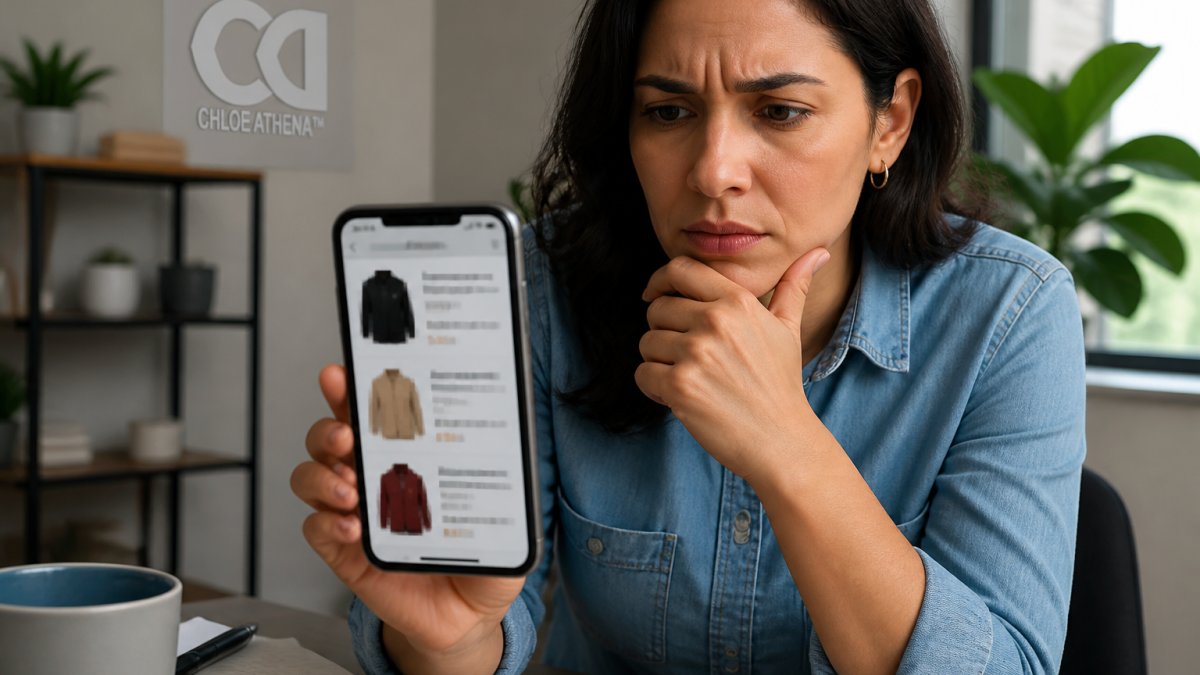
Check these specific elements:
- Product images: Are they professional and clear, or blurry and low-quality? Fake stores often steal images from legitimate retailers or use generic stock photos.
- Product descriptions: Do they contain awkward phrasing, grammatical errors, or vague details? Real retailers write clear, detailed descriptions.
- Site navigation: Is the menu logical and easy to follow? Can you find a products page, about section, and contact information without confusion?
- Loading speed: Does the site load quickly and smoothly? Poorly maintained sites often lag or freeze.
- Checkout process: Does it feel secure and straightforward, or does it ask for unusual information?
Fake stores often lack depth. They might have only a handful of products, all in the same category, with limited size or color options. Legitimate retailers stock variety because different customers want different things.
Look at the overall presentation. A real business puts thought into layout, typography, and user experience. A hastily thrown-together site signals that the operator isn't invested in long-term success.
Verify the Seller's Identity and Contact Information
Verifying a seller is not a vibe check. It is a short, repeatable workflow you can run in about five minutes before you enter a card number. Run these steps in order and stop the moment two or more fail.
Step 1: Confirm the business exists as a legal entity. Most states require businesses to register, and most state secretary of state offices let you search their business database for free. Search the exact legal name, not just the storefront name. Look for an active status, a formation date, and a registered agent address. A store that claims to be a decade-old company but shows a registration from a few months ago is a mismatch worth investigating. The Better Business Bureau is a secondary check, not a primary one: a BBB profile can be created by almost anyone, and a lack of complaints does not mean a business is legitimate.
Step 2: Cross-reference the contact details. A real seller gives you at least two independent ways to reach a human: a phone number, a physical mailing address, and a branded email on the company's own domain (support@thebrand.com, not thebrand.orders@gmail.com). Call the number during posted business hours. Send a pre-sale question by email and note the response time. A common pattern with fraudulent storefronts is a phone number that rings to a generic voicemail box, an address that resolves to a virtual mailbox or a residential home, and an email that bounces.
Step 3: Check the domain's age and ownership. A domain registered weeks ago is a stronger warning sign than a poorly designed homepage. Free WHOIS lookup tools show the registration date and, when privacy protection is off, the registrant. Established retailers usually have domains that are years old and match the brand name exactly. Be alert to lookalike domains that swap a letter, add a hyphen, or use a different top-level domain than the official site.
Step 4: Look for an independent footprint. Search the brand name plus the words "reviews," "complaint," and "scam." Read results on sites the seller does not control. Check whether the social accounts are active and whether comments are open. A seller whose only online presence is its own website, with no third-party mentions, no press, and no verifiable history, has not been vetted by anyone but itself.
Step 5: Test the seller's responsiveness to a real question. Ask something specific that a legitimate operation would know off the top of its head: the return window, the shipping carrier, the materials, or the warranty length. Vague, copy-pasted, or evasive answers are a signal. So is pressure to move the conversation off-platform to text, email, or a payment app.
Save the results of your check. Screenshot the About page, the contact details, and the domain lookup. If something goes wrong later, that record supports a dispute with your card issuer or a report to the FTC.
Inspect Website Addresses and Warning Signs
The website address, or URL, tells you a lot. Real businesses use professional domain names that match their brand. Fake stores often use suspicious URLs with random characters, numbers, or slight misspellings of legitimate brands.
A real website uses HTTPS (secure connection), not HTTP. Look at the address bar. You should see a padlock icon and "https://" at the start. This means the site encrypts your data. Fake stores often lack this security feature.
Be cautious of URLs that misspell famous brands. A scammer might use "amazn.com" instead of "amazon.com" or "chloe-athena.net" instead of "chloe-athena.com". These slight variations trick distracted shoppers.
Inspect links within the site. Hover over them before clicking. Do they lead where they claim? Fake sites often contain links to unrelated pages or phishing sites. If links are broken or lead to unexpected destinations, the site is likely fraudulent.
Check the email address used for customer service. Is it a professional domain email (like support@company.com) or a generic account (like gmail.com)? Legitimate businesses use branded email addresses.
Look for security seals from recognized companies. Trustmarks like Norton Secured, McAfee Secure, or Verified by Visa indicate the site has passed security checks. However, scammers sometimes fake these seals, so verify them by clicking on them. A real seal links to the issuing organization's verification page.
Read Product Descriptions, Policies, and Fine Print
Product descriptions reveal a lot about a seller's legitimacy. Real businesses provide detailed information: materials, dimensions, care instructions, and shipping details. They explain what you're buying and how to care for it.
Fake stores often use vague descriptions or copy text directly from legitimate retailers. If the description reads like it was written hastily or translated poorly, be skeptical.
Check the return policy carefully. Legitimate retailers make returns easy because they stand behind their products. If a seller has no return policy, or makes returns nearly impossible, that's a red flag. Read the fine print. How long do you have to return items? What condition must they be in? Are there restocking fees?
Review the shipping policy. How long does delivery take? What are the costs? Real businesses are transparent about shipping. They don't hide fees or make promises they can't keep.
Look for warranty information. Does the seller offer any guarantee on product quality? Legitimate retailers often provide warranties because they sell quality goods. Scammers typically offer none.
Check cancellation policies. Can you cancel an order after placing it? How long do you have? A seller that refuses cancellations is suspicious.
Always read policies before buying. If a seller makes policies hard to find or deliberately obscures terms, that's a sign they're hiding something.
Safest Payment Methods for Online Shopping
Your payment method is the single biggest lever on whether you can get money back after a bad transaction. No method guarantees recovery, but the practical protections differ sharply. Here is how the common options compare, followed by what to do if a charge goes wrong.
Credit cards. Under the Fair Credit Billing Act, you generally have the right to dispute billing errors, including charges for goods you never received or that were not as described. You must send a written dispute to the card issuer, and the issuer must acknowledge it within 30 days and resolve it within two billing cycles (no more than 90 days). You are generally not liable for more than $50 in unauthorized charges, and many issuers waive even that. This is the strongest consumer protection available for online purchases, which is why it is the default recommendation for unfamiliar sellers.
Debit cards. Debit cards are covered by the Electronic Fund Transfer Act, but the protections are weaker and the money leaves your bank account immediately. If you report a lost or stolen card before any unauthorized charges are made, your liability is generally $0. If you report within two business days of learning of the loss, liability is capped at $50. Report within 60 days of your statement being sent and liability can reach $500. Wait longer and you may not recover the funds at all. The practical takeaway: debit cards are fine for sellers you already trust, but they are a poor choice for an unfamiliar storefront.
Payment services (PayPal, and similar). These sit between you and the seller. PayPal's purchase protection covers eligible items that never arrive or arrive significantly not as described, but it does not cover every category, and it does not apply to the Friends & Family option. Using Friends & Family for a purchase from a stranger removes your buyer protection entirely; that is why scammers ask for it. Keep the transaction on the platform and pay through the goods-and-services path.
Peer-to-peer apps (Venmo, Cash App, and similar). These are designed for sending money to people you know. Payments to strangers generally have no buyer protection, and once the money is sent it is usually gone. Treat them as cash.
Gift cards, money orders, and wire transfers. These are the scammer's preferred methods precisely because they are irreversible. A request to pay with a gift card, a wire transfer, or a money order is one of the clearest signals of fraud. Do not use them for online purchases.
Buy now, pay later and store financing. These can be convenient, but the dispute process runs through the provider, not your card issuer, and the protections vary. Read the terms before relying on them for a large purchase.
If a charge goes wrong, act in this order.
- Contact the seller in writing first. Many card issuers require you to attempt to resolve the issue with the merchant before filing a dispute. Keep the message factual and save it.
- Dispute the charge with your payment provider. For a credit card, call the number on the back of the card and follow up with a written dispute. For a debit card, contact your bank immediately. For PayPal, open a dispute in the Resolution Center. Note the deadlines: credit card billing-error disputes generally must be sent within 60 days of the statement containing the error, and debit card issues should be reported as soon as you notice them.
- Secure your accounts. Change the password on the shopping account and on any account that shared the same password. Turn on two-factor authentication. If you entered card details, ask the issuer to replace the card.
- Preserve the evidence. Save the order confirmation, the seller's listing, your messages, the tracking information, and screenshots of the storefront before it disappears. Fraudulent sites often vanish within days.
- Report it. File a report with the Federal Trade Commission at ReportFraud.ftc.gov. If you shared personal information like a Social Security number, also use the FTC's Identity Theft resources and consider a fraud alert with one of the three major credit bureaus (Equifax, Experian, or TransUnion). You can pull a free credit report at AnnualCreditReport.com.
- Report the listing or seller to the platform where you found it, whether that is a marketplace, a social network, or an ad network. This is what gets the storefront taken down before the next shopper sees it.
Protect Your Account and Personal Information
Strong account security prevents scammers from accessing your personal information. Use a unique, complex password for each online shopping account. Don't reuse passwords across sites.
A strong password contains uppercase letters, lowercase letters, numbers, and symbols. Make it at least 12 characters long. Avoid passwords based on personal information like birthdays or pet names.
Enable two-factor authentication whenever available. This adds a second security layer. Even if a scammer gets your password, they can't access your account without the second factor (usually a code sent to your phone).
Be cautious on public Wi-Fi networks. Scammers can intercept data on unsecured networks. Avoid shopping on public Wi-Fi at coffee shops or airports. Use your mobile data instead, or wait until you're on a secure home network.
Never provide sensitive information via email or text. Legitimate businesses never ask for passwords, credit card numbers, or social security numbers through email. If you receive such a request, it's a scam.
Be wary of phishing messages. These look like they come from legitimate companies but actually come from scammers. They ask you to click a link and "verify" your account. Clicking takes you to a fake site designed to steal your information.
Check your accounts regularly. Review your bank and credit card statements monthly. Look for charges you don't recognize. Report unauthorized charges immediately.
If you notice unauthorized charges, contact your financial institution right away. The faster you report fraud, the better your chances of recovery.
What to Do If Scammed Online Shopping
If you realize you've been scammed, act quickly. Time matters when combating fraud.
First, stop all contact with the scammer. Don't respond to messages or emails. Don't try to negotiate or demand a refund directly. This often escalates the situation and gives scammers more information about you.
Report the fraud to your payment provider immediately. Contact your credit card company, bank, or PayPal. Explain what happened. Provide all transaction details. They can investigate and potentially reverse the charge.
Report the scam to the Federal Trade Commission (FTC) at ReportFraud.ftc.gov. The FTC tracks scams and uses the information to identify patterns and shut down operations.
Document everything. Save emails, screenshots, transaction records, and any communication with the scammer. This documentation supports your dispute claim.
If you provided personal information like your Social Security number or bank account details, monitor your credit. Check your credit report for suspicious activity. You can get a free credit report annually from AnnualCreditReport.com.
Consider placing a fraud alert on your credit file. This alerts lenders that you may be a victim of identity theft. They'll take extra steps to verify your identity before opening new accounts. Contact one of the three major credit bureaus (Equifax, Experian, or TransUnion) to place an alert.
If the scammer used your identity to open accounts or make purchases, file a report with the FTC's Identity Theft Service. They provide a recovery plan tailored to your situation.
Report the fake store to the platform where you found it (if applicable). If you discovered the scam through social media, report the listing. If it was a marketplace, report the seller. This helps protect other shoppers.
Fake Online Store Examples and Red Flags
Fake stores often target popular brands. Scammers create sites mimicking luxury retailers, popular clothing brands, or electronics companies. They offer genuine-looking products at unbeatable prices.
Common red flags appear across fake stores:
- No physical address: Only an email contact or phone number that never connects
- Stolen images: Product photos lifted directly from legitimate retailers
- Limited payment options: Only accepting wire transfers or cryptocurrency
- No customer reviews: Or reviews that seem fake and overly positive
- Pressure to buy quickly: "Limited stock," "Sale ends today," or similar urgency tactics
- Generic product names: Vague descriptions without brand details
- Typos and grammar errors: Throughout the site and product listings
- Suspicious domain: Recent registration, misspelled brand names, or suspicious extensions
- No social media presence: Or fake social accounts with no followers or engagement
When evaluating an unfamiliar online store, cross-reference multiple warning signs. One red flag might be coincidence. Multiple flags indicate a scam.
Be especially cautious during holiday shopping seasons. Scammers launch fake stores specifically to capture holiday shoppers in a hurry. The urgency and high volume of online shopping make people less cautious.
Research the store before buying. Search its name plus "scam" or "reviews." Read what other shoppers say. Look for complaints about non-delivery, poor quality, or unauthorized charges.
When you shop at Chloe Athena, you're buying from a USA-based retailer with a commitment to quality and fast delivery. We stand behind our clothing and make returns simple because we believe in earning your trust with every purchase.
To avoid online shopping scams requires vigilance, but it's absolutely doable. By recognizing suspicious pricing, inspecting websites carefully, verifying seller information, choosing secure payment methods, and protecting your personal data, you avoid the vast majority of online scams. If you do encounter fraud, report it immediately and document everything. The faster you act, the better your chances of recovery. Stay cautious, stay informed, and shop with confidence knowing you have the tools to protect yourself.
Frequently Asked Questions
How can I tell if an online store is legitimate before making a purchase?
Check for secure website connections (look for 'https://' and a padlock icon), verify the seller's contact information and physical address, read customer reviews on independent sites, examine the return and refund policies, and inspect the website for professional design and accurate product descriptions. Legitimate stores provide clear company details, transparent policies, and consistent branding across all pages.
What is the safest payment method to avoid getting scammed when shopping online?
Credit cards and PayPal offer the strongest buyer protection through dispute resolution and chargeback options. Avoid bank transfers, wire transfers, money orders, and peer-to-peer payment apps like Venmo or CashApp, as these are difficult to reverse if fraud occurs. Credit card companies and payment processors investigate unauthorized charges and can refund your money if the seller fails to deliver or sends counterfeit goods.
What should I do immediately if I paid a scam website or suspect fraud?
Contact your bank or credit card company right away to report the fraudulent transaction and request a chargeback or dispute. Document all communications with the seller, take screenshots of the listing and website, and file a complaint with the Federal Trade Commission at ReportFraud.ftc.gov. If you used PayPal or another payment service, report the transaction through their dispute resolution process. Act quickly, most payment processors have time limits for filing disputes.
Can I trust online shopping ads on social media, or are they more likely to be scams?
Social media ads carry higher scam risk because they're easier to create and harder to verify. Before clicking, verify the seller independently by searching their website directly (not through the ad link), check for authentic customer reviews on third-party sites, and look for professional branding and clear contact information. Use the safest payment methods available, and be especially cautious of ads offering unusually low prices or claiming limited-time deals designed to rush your decision.